How Early Computer Sequencers Worked Before The Piano Roll
Music as instructions
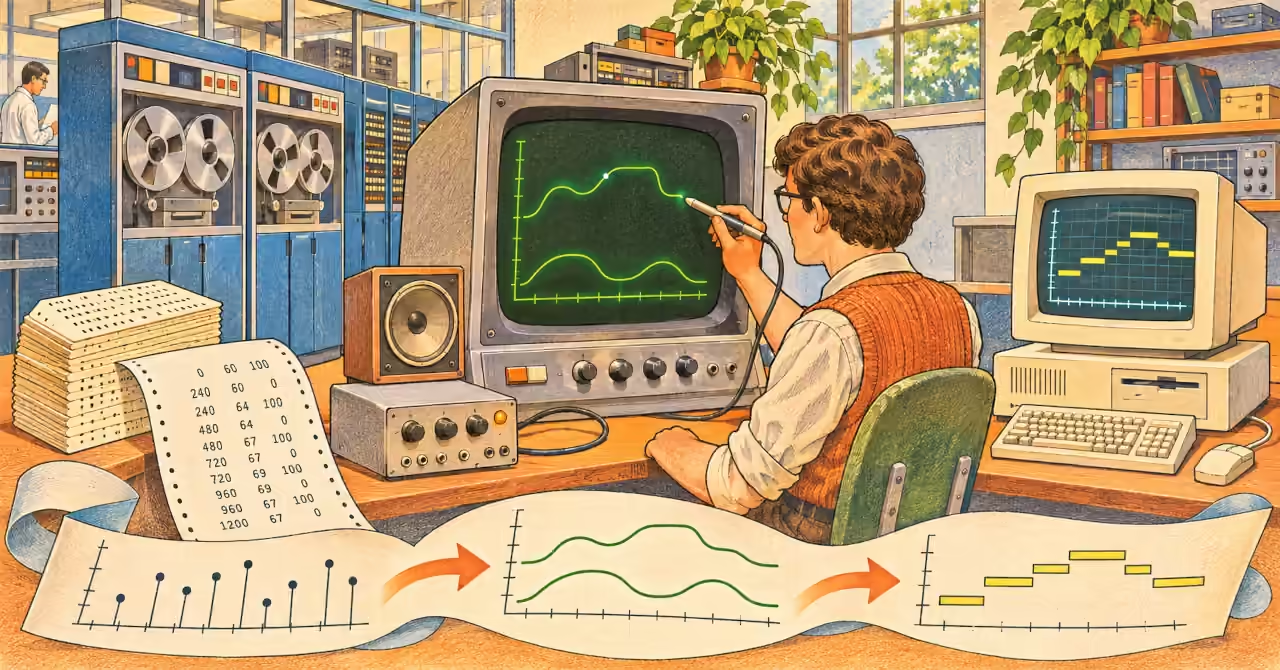
Open a piano-roll editor and notes sit on a grid, ready to be moved or stretched. Time runs across the screen; pitch runs up and down. Before that view became familiar, making music with a computer could mean writing instructions and waiting to hear the result. The score was data. Listening came later.
At Bell Labs, Max Mathews and his colleagues explored this approach through the MUSIC family of programs. These systems combined instructions for making sounds with instructions for when those sounds should happen. They were more than note recorders: the computer calculated the sound itself. What connects them to later sequencers is the job of organising musical events in time. [1]
Other musical machines have their own histories, from player pianos to analogue step sequencers. Here, the question is about computers: what did composers tell them before they could simply drag notes around?
Event lists, not pictures
MUSIC V, a system from the late 1960s, separated two important jobs. An instrument definition described how to make a sound. A note event told the computer when to use that instrument, how long to use it and which settings to apply. Roger Dannenberg explains this division in his account of computer-music languages. [1]
Think of a recipe and a timetable. The recipe explains how to make a sound. The timetable says when to make it. Change the timetable and you can change the melody. Change the recipe and the same melody can have a different sound.
To turn those instructions into audio, the program calculated a stream of numbers called samples. Each sample described the sound wave's level at one tiny moment. Playback equipment converted those numbers into an electrical signal, which could be amplified and played through a speaker. The note list was the plan; the samples described the resulting sound wave. [1]
The table below shows the basic idea. It is a teaching example, not runnable MUSIC V code. The start and duration columns use seconds. Pitch is given as frequency in hertz (Hz): higher numbers mean higher pitches.
| Start | Duration | Pitch | Instrument |
|---|---|---|---|
| 0.00 s | 0.50 s | 440 Hz | 1 |
| 0.50 s | 0.50 s | 550 Hz | 1 |
| 1.00 s | 1.00 s | 660 Hz | 1 |
These rows describe three sounds played one after another, using the same instrument. Move the second start time to 0.25 seconds and the first two sounds overlap. Double every start time and duration and the whole phrase takes twice as long.
No keyboard picture is needed. Timing and pitch are values the composer can change, copy or calculate. The list describes the musical events without having to spell out every sample of their sound.
Drawing time by hand
Writing numbers was not the only option. In a 1966 paper for the Audio Engineering Society, Mathews described drawing musical information with a light pen on an oscilloscope, a screen used to display electrical signals. His published abstract explains that drawn curves could control pitch, loudness and duration, and be used to generate sound. [2]
Imagine a note that rises slowly in pitch, then falls sharply. A rising and falling line makes that movement easy to see. A note block shows when the note starts and stops; a curve can show what changes while it sounds.
Both views are useful, and an editor can combine them. But each puts a different question first: do you want to rearrange the notes, or reshape what happens inside them? These early experiments show that a keyboard grid was only one possible way to edit music.
Why composers had to wait
Many early systems used batch processing: the composer prepared a job for the computer, then checked the results after it ran. In their 1979 paper, researchers from the University of Toronto's Structured Sound Synthesis Project (SSSP) described MUSIC V's delayed feedback as a problem. They wanted composers to hear and judge changes through a more direct, interactive process. [3]
Prepare the score, run it, listen, revise. A wrong note length could mean another trip through that cycle. Exact numbers did not guarantee good music, and waiting made experiments harder.
Could the delay also encourage more planning? Perhaps. A composer might think through patterns and larger sections before submitting the next job. That is an interpretation of the working conditions, rather than proof that slower systems produced better composers. A limit can inspire an idea and still get in its way.
Making the score easier to change
The SSSP team's 1979 paper describes graphical score editors built around a PDP-11/45 computer. The equipment included a display that drew lines, a drawing tablet and a box of sliders. The aim was to make musical ideas easier to enter and change, well before the later desktop MIDI studio. [3]
This was not a simple march from cards to lists to pictures. Different approaches overlapped. Some composers wrote instructions, others drew shapes or edited scores. Each method made certain tasks easier, and none answered every musical need.
By 1987, Passport's Master Tracks Pro had brought mouse-editable graphical MIDI data to the Macintosh, according to the company's history. It provides a useful example of these ideas reaching commercial desktop software. [4]
MIDI introduced an important distinction: a computer could send playing instructions to another instrument instead of calculating the audio itself. The site's MIDI notebook follows those instructions to the equipment that receives them.
What the old systems reveal
A sequencer's interface makes some parts of music easier to notice. A list brings exact values into view. A curve shows how something changes. A piano roll shows note lengths and pitch relationships. Each helps the composer see something the other views may hide.
Try doubling the length of the phrase in the table. You could multiply its timing values by two, or imagine stretching the same phrase across a piano-roll grid. The musical change is the same. The way you describe it is different.
That is why the older systems still matter. They were serious attempts to give composers control over musical time. The familiar grid made one approach feel natural, but the earlier experiments reveal other possibilities. Choosing an interface is also choosing a way to think.
Featured Product
Analogue Computer Series 001 T-Shirt
From MIDI instructions to saved arrangements, this story celebrates computers that brought a roomful of equipment together. Carry that fascination into everyday wear with the Analogue Computer Series 001 T-Shirt — a nod to an earlier age of computing, when switches, circuitry and glowing indicators made the machinery part of the spectacle.
Disclosure: this is a commercial product link to an external Zazzle store associated with philreichert.org. Purchases are handled by Zazzle.
Reader Guide
The following material expands on the terminology, historical context, technical concepts, and related reading connected to this article.
Glossary
- Event list
- A list of musical instructions, such as when a note starts, how long it lasts and which instrument plays it. Related reading: sequencing and editing on the Commodore 64.
- Instrument definition
- Instructions in a sound-synthesis program that describe how to create a sound. Think of it as a recipe that different notes can use.
- Unit generator
- A software building block that creates or changes a sound signal. For example, an oscillator produces a repeating wave, while a filter changes its tone.
- Sample
- In digital audio, a number representing a sound wave's level at one moment. A rapid sequence of samples describes the wave over time. Here, the word means an individual value, rather than a recorded clip used in a sampler.
- Frequency
- How often a wave repeats, measured in hertz (Hz), or cycles per second. For a steady musical tone, a higher frequency means a higher pitch.
- Parameter
- A setting that controls part of a sound or musical event, such as its pitch, loudness or duration.
- Batch processing
- Giving a computer a prepared job to run, then checking the results afterwards. In early computer music, this could mean waiting for the sound to be calculated before hearing it.
- Piano roll
- A music-editing display with time running horizontally and pitch arranged vertically. Notes usually appear as blocks whose lengths show their duration. Related reading: how sequencer software helped computers organise a studio.
- Light pen
- A pen-shaped pointing device that detects light from a compatible screen. It lets the computer work out where the user is pointing, allowing them to select items or draw.
- MIDI
- Short for Musical Instrument Digital Interface. It allows instruments and computers to exchange playing instructions, such as which note to play and when to stop. These messages do not carry the resulting audio. Related reading: MIDI Basics and SID vs MIDI: Two Ways Computers Make Music.
Frequently asked questions
Were early computer sequencers MIDI sequencers?
No. The Bell Labs systems discussed here combined score processing with sound synthesis. They predated the later MIDI studio and generated sound through a different technical workflow.
Could composers draw music before desktop piano-roll editors?
Yes. Mathews described light-pen drawings of sound parameters in 1966, and the SSSP team documented interactive graphical score editing in 1979.
Is the event-list example real MUSIC V code?
No. It is an invented teaching example with plain English headings. It illustrates timing and parameter relationships without reproducing a historical language.
Did Master Tracks Pro invent graphical sequencing?
This article makes no such claim. Passport dates its Macintosh release to 1987, but graphical music research existed earlier and commercial priority requires a separate comparison.
Related articles…

References and further reading
- Roger B. Dannenberg. Languages for Computer Music (2018). Research account of score languages and instrument definitions.
- Max V. Mathews. A Graphical Language for Composing and Playing Sounds and Music (1966). AES Convention 31, paper 477. The public abstract supports the description here; the full paper was not consulted.
- William Buxton, Richard Sniderman, William Reeves, Sanand Patel and Ronald Baecker. The Evolution of the SSSP Score Editing Tools (1979). Computer Music Journal 3(4), 14–25. Author-hosted text describing the project and its interface design.
- Passport Music Software. About Us (undated). Company account of Master Tracks Pro. Its priority claim is attributed, not independently established.
Web sources checked 14 November 2026.
Disclosure
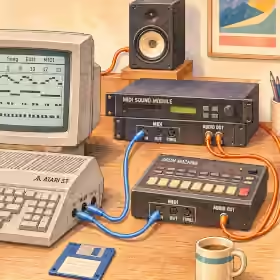
This article was researched and developed with AI assistance using the referenced sources. It presents a selective history of computer-based sequencing, rather than a definitive chronology. Observations about how interfaces influence composition are interpretations; disputed claims of technological priority are attributed where discussed. The event-list example is illustrative, not executable MUSIC V code, and the AI-generated banner is a conceptual illustration, not an archival depiction of a particular installation.