Open MPC Community Plugins Create a New Sonic Playground
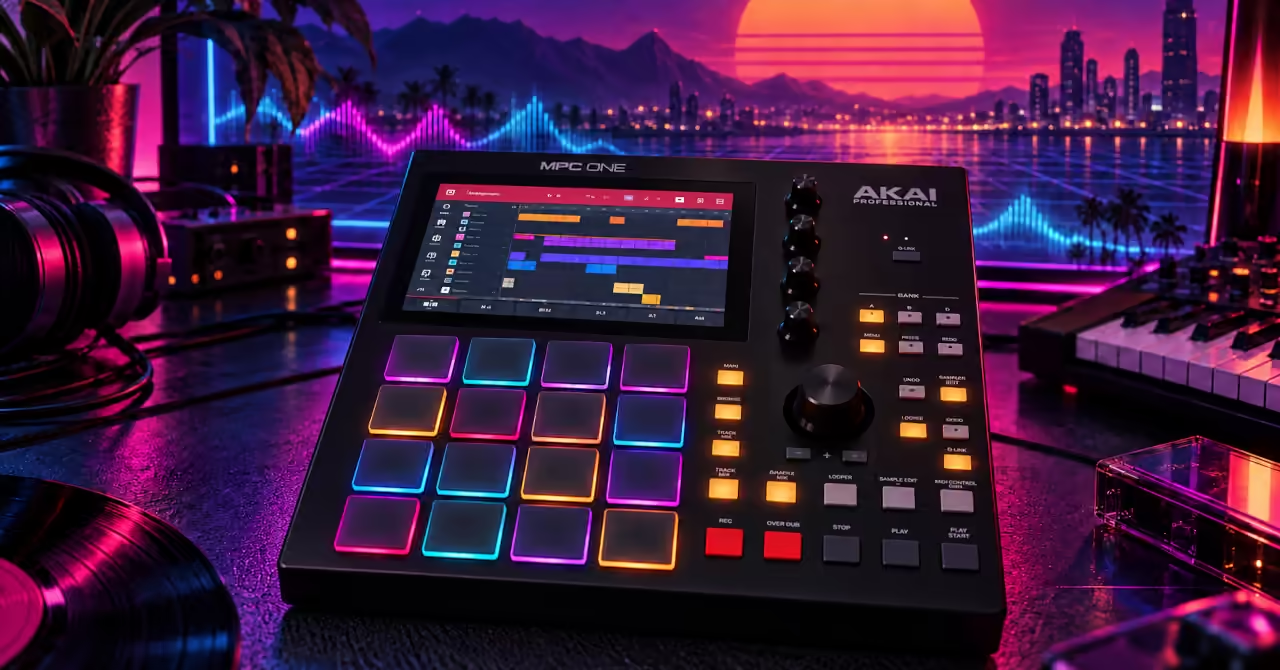
From Appliance to Platform
The standalone MPC offers a welcome kind of freedom: switch it on, leave the computer behind and make music. Tap out a rhythm, find a sound and catch an idea before it disappears. Its pads, screen and knobs make that process feel immediate. For years, though, adding new instruments and effects largely meant choosing from Akai’s supported range. The music was yours to shape, while the software remained mostly closed to outside developers.
Community developers are widening that choice. They are building unofficial synths and effects that run directly on MPC and Force hardware, along with tools for testing, installing and sharing them. These projects require compatible software and a modified device, but they offer a compelling possibility: a familiar workstation can gain a new sound engine while keeping the controls and workflow you already know.
That gives owners another reason to look beyond the factory feature list. An instrument’s future can also grow from what its users imagine and build. You might discover a sound that sparks a fresh track, or a tool that solves a problem in your setup. The machine on your desk stays familiar, yet there is more to discover when you switch it on.
What the Official Box Allows
Akai’s own instruments and effects already give the standalone MPC plenty to explore. MPC 3.9 added MPC Oscillators, bringing more ways to build sounds inside the machine. But the same software does not give every model the same power. Different generations have different processors and amounts of memory, which affects how much they can run at once.
Standalone plugins also need to match the hardware and operating system. A plugin that works in your computer’s music software may have no standalone MPC version. Akai lists a limit of eight instrument plugin programs for Gen 1 devices, including the MPC One and Force. That is an instrument limit, not a total count of every effect in your project. Newer hardware offers more room, but compatibility still needs checking.
Think of that processing power as a shared budget: drums, samples, instruments and effects all draw from it. Community plugins widen the choice of sounds, while working within the same hardware limits. The useful question becomes: will this new tool fit both your machine and the music you want to make?
The Community Workaround
A new synth needs more than good sound to earn a place on your MPC. Its controls must work on the touchscreen, its settings must save with your project, and it must keep up with the music. Projects such as mpc-vst-plugins give developers tools to build, test and package plugins for that job. Each successful port creates a path that other developers can follow.
These plugins need to be built for the MPC’s ARM processor and Linux operating system. You cannot simply copy a Windows VST onto a memory card and load it. Developers also create screen layouts and connect sound controls to the MPC’s parameters and Q-Link knobs. That work turns a sound engine into something you can play, adjust and return to in your next session.
Installation takes extra preparation. You need a modified MPC or Force with root SSH access: an administrator connection to the device over a network. Overcast lists this requirement explicitly. This sits outside Akai’s normal plugin activation process, so check the project’s instructions for your model and firmware, and back up your projects before making changes.
The deeper achievement is making this work repeatable. Shared tools mean each developer has less groundwork to rebuild and more time to spend on sound. The hardware still sets the limits: every plugin shares processor power and memory with the rest of your project. A useful port leaves enough room for your drums, samples and other instruments to keep playing smoothly. That is where clever coding becomes musical freedom.
Explore the Open MPC plugin catalogue for available instruments and effects, release details and compatibility information. Check each release’s hardware testing notes before installing.
What Porting Really Changes
Porting brings a familiar sound tool into a new musical setting. Take Overcast. It brings the sound engine from Mutable Instruments Clouds, with its alternative Parasites firmware, to the MPC as an insert effect. It processes audio from a track, turning incoming sound into shifting textures, echoes and layers. Its six modes come with modulation controls, MIDI triggering, Q-Link support and a built-in manual.
The original Clouds is a Eurorack module, controlled through knobs, patch cables and electrical signals. On the MPC, you work through touchscreen pages, MIDI tracks and Q-Link knobs, then save the settings with your project. That changes how you explore the sound. You might feed in a drum loop, stretch it into a hazy background texture, and bring it back when you reopen the track. A sound once shaped within a modular setup becomes part of your MPC session.
The MPC port of Neural Amp Modeler offers another example. It runs models of guitar amps and pedals as an insert effect, with tone controls and cabinet impulse responses that recreate the sound of a speaker and microphone setup. It also includes a browser for downloading new models directly to the device. These projects give musicians fresh ways to shape sound within the sequencer and controls they already know. The value of a port lies in how naturally it joins the music-making process.
The Hidden Maintenance Load
Discovering a new sound is exciting. Opening an old project and finding that it no longer plays as expected is less welcome. Community plugins add another layer of software to look after. Compatibility can vary between device models, firmware versions and plugin releases, so an update deserves a little preparation.
Keep a note of which plugin versions your important projects use. Back up those projects, read the release notes before updating, and try changes on a copy first. Keep installers where the licence allows. If something changes unexpectedly, these simple habits give you a clearer path back to the setup that worked.
This is part of owning a more flexible instrument. The reward is a wider choice of sounds; the responsibility is keeping track of what makes them work. A good setup should let you follow an idea today and return to it months later. A little care behind the scenes helps keep the music within reach.
Why the MPC Still Feels Like the MPC
The pads, sequencer and hands-on controls remain the heart of the MPC. Community plugins add more ways to use them. A familiar drum pattern might become the starting point for a new texture, while an extra effect could send an unfinished track in a different direction.
For curious owners, that is the attraction: more room to experiment with an instrument they already know. A useful new sound can be a reason to switch it on, press a pad and follow an idea.
Featured Product
Analogue Computer Series 001 T-Shirt
Enjoy exploring what a machine can do beyond its original brief? The Analogue Computer Series 001 t-shirt celebrates that same curiosity. Inspired by mid-century analogue computing panels, signal paths and visible connections, its design echoes the spirit of the MPC community: get to know the hardware, work with its limits, and discover something new.

Writer's Notes
Reader Guide
The following material expands on the terminology, historical context, technical concepts, and related reading connected to this article.
Glossary
These terms explain how community plugins bring new sounds to standalone MPC hardware, and what is involved in making them work.
- MPC
- MPC originally stood for MIDI Production Center and now stands for Music Production Center. Akai’s MPC instruments let you record sounds, arrange musical patterns and perform using drum pads. Standalone models work without a connected computer. This article explores unofficial plugins that expand their choice of instruments and effects.
- VST2
- VST2 (Virtual Studio Technology, version 2) is a format that lets music software load instruments and effects. The community projects discussed here use it to connect plugins to the MPC’s built-in software. Each plugin needs a compatible ARM Linux build and MPC screen controls; a Windows VST2 file cannot simply be copied across.
- Porting
- Adapting software to work on a different system. An MPC port needs more than working sound: it also needs suitable controls, saved settings and performance that fits the hardware. Overcast shows how a sound engine from a modular synthesizer can become an MPC insert effect.
- Root SSH access
- An administrator connection to a device over a network. SSH provides the connection, while root gives permission to change system files. The installation methods discussed here require a modified MPC or Force with this access, outside Akai’s normal plugin activation process.
- Insert effect
- A processor placed in a track’s audio path to change its sound. Overcast can reshape incoming audio into textures and echoes. The MPC port of Neural Amp Modeler applies models of guitar amps and pedals, along with other processing.
- Mutable Instruments Clouds (with Parasites firmware)
- Clouds is a modular sound processor that breaks incoming audio into tiny pieces called grains, then combines them to create shifting textures and sustained sounds. Parasites is alternative firmware that expands its processing modes. Overcast brings this sound engine to the MPC, with touchscreen pages, modulation controls and Q-Link support.
- Eurorack
- A format for modular synthesizers, with separate modules fitted into a powered case. Patch cables carry audio and control signals between modules. Clouds was designed for this setting; its MPC port replaces those physical connections with software controls and MIDI input.
- Cabinet IRs
- Cabinet impulse responses are files that capture how a speaker cabinet and microphone setup colour a sound. The MPC port of Neural Amp Modeler can apply these files after an amp model, helping recreate the sound of a guitar played through a recorded cabinet.
Frequently asked questions
Practical answers about community plugins, standalone compatibility and looking after your MPC projects.
What do community plugins add to a standalone MPC?
They offer unofficial instruments and effects beyond Akai’s supported range. Examples include Overcast for sound textures and the MPC port of Neural Amp Modeler for guitar processing. Compatible ports run on the device itself, with controls designed for the MPC screen and hardware.
Can I load my computer’s VST plugins onto an MPC?
You cannot simply copy a Windows or Mac plugin onto a standalone MPC. It needs a version built for the device’s ARM processor and Linux operating system, plus compatible controls and settings. Check support for your exact model, firmware and plugin release.
How many instrument plugins can a Gen 1 MPC run?
Akai lists a limit of eight instrument plugin programs for Gen 1 standalone devices, including the MPC One and Force. This does not mean eight effects in total. Instruments, effects and samples also share processor power and memory, so the demands of your project matter.
What do I need to install these community plugins?
The projects discussed here require a modified MPC or Force with root SSH access: an administrator connection over a network. Installation sits outside Akai’s normal plugin activation process. Read the project’s current instructions, check compatibility and back up your work before making changes.
What does mpc-vst-plugins provide for developers?
It provides shared tools for building, testing and packaging compatible plugins. It also helps developers create touchscreen layouts and connect sound settings to MPC controls. This reduces the groundwork needed to bring another sound engine to the hardware.
How can I keep projects working when plugins change?
Back up important projects and record which plugin versions they use. Read release notes before updating firmware or plugins, and test changes on a project copy first. Keep installers where the licence allows, so you have a clearer route back to a working setup.
Related articles…



References and Further Reading
- Akai Professional, MPC Standalone Software
- Akai Professional Support, Why Are Some Plugins Not Available on My MPC
- Akai Professional Support, How Many Plugin Programs Can I Use
- sd88me, mpc-vst-plugins
- padbangers, Overcast
- jacob-sabella, mpc-vst-nam
Disclosure
This article draws on published documentation and community project sources, with assistance from digital research and writing tools, including large language models. AudioPhil reviews and edits the article. The hero image is AI-generated illustrative artwork, not a product photograph. Community plugins and modifications discussed here are unofficial and are not endorsed by Akai Professional. Descriptions reflect project documentation rather than hands-on testing by the author; compatibility and performance may vary by device, firmware, and plugin version. Modifications may affect support or require OS recovery, so consult current project instructions and back up your work before proceeding. This article is an editorial overview, not an installation guide. Any relevant commercial relationships or affiliate links are disclosed separately.