Making Music With a Commodore 64: The Hardware You Need
Introduction
What would it take to make your first tune on a Commodore 64? Its built-in SID chip can shape notes, sweep filters and create striking sounds. You already have the sound source. The next step is choosing a useful way to play it, hear it and save your work.
In SID vs MIDI: Two Ways Computers Make Music, we explored how a computer can make sound itself or send musical instructions to other equipment. Here, we put that difference to work. You might start with BASIC, write music in a tracker or connect a MIDI keyboard. Each route needs a different setup.
Start With the Chip
You do not need to turn the Commodore 64 into a synthesiser. It already contains one. Commodore’s documentation describes the SID as a three-voice sound chip. Each voice has controls for pitch, waveform and an ADSR envelope, which shapes how its volume changes over time. The voices can also pass through a shared filter to change their tone.
Software reaches these controls through memory locations beginning at $D400, or 54272 in decimal. Writing numbers to those locations tells the chip what to do. You can work directly with those numbers or let a music editor handle them. Your choice is mainly about how you want to make music.
The Smallest Useful Setup
| Goal | Required | Add when needed |
|---|---|---|
| Explore SID programming | Working C64, suitable power supply, compatible display and audio connection | Storage to save your programs |
| Compose on the C64 | Above, plus a C64 music editor and a device that can load and save its files | Audio interface for recording |
| Compose on a modern computer | Desktop SID editor such as GoatTracker and a way to hear it | C64 and file transfer method for playback on original hardware |
| Play SID from MIDI equipment | C64, compatible MIDI interface, supporting software and audio connection | Connection to recording software and other instruments |
For original hardware, start with the computer, display, sound connection and a way to enter or load a program. You can type a short BASIC example straight into the machine. For longer sessions, loading and saving become much more useful. An original disk drive or cassette served that purpose; a suitable modern device can make file handling easier.
The real difference is between possible and pleasant. A setup may work, yet make you repeat ten minutes of typing whenever you switch it on. The most useful extra is often the one that removes that interruption. Before buying more sound gear, ask whether you can save an idea and return to it tomorrow.
If you are starting in VICE, you can try the BASIC listing before choosing physical equipment. The emulator provides a useful first step: you can hear the result and decide whether you enjoy working this way. Playing on an original C64 can come later. You do not need to settle the whole studio plan before making your first sound.
Connect the Sound Before Buying More Gear
The original C64 produces mono sound. Its audio/video (A/V) connector carries sound alongside video. Use a cable wired for the C64 and matched to its connector version. A plug fitting the socket does not mean its wiring is right. Connect the audio to an amplifier, powered speakers or an audio interface. Passive speakers need an amplifier; the C64 cannot drive them directly. Commodore’s service documentation identifies the audio output.
To record, use an audio interface with a suitable line input. Start with a low recording level and check that loud notes do not distort. A MIDI-to-USB adapter alone cannot capture the sound. Get a tune playing first, then record the audio coming from the C64.
Your First Sound Without a Music Keyboard
The C64’s built-in keyboard is enough for this BASIC experiment. The program clears the sound controls, selects a triangle waveform, sets the note’s volume shape and plays a short tone. This code was tested and confirmed to run in the VICE Commodore 64 emulator.
10 s=54272:for i=0 to 24:poke s+i,0:next
20 poke s+24,15:poke s+5,9:poke s+6,240
30 poke s,103:poke s+1,17
40 poke s+4,17
50 for t=1 to 1000:next
60 poke s+4,16
Pasting into VICE: Copy the lowercase listing above. Uppercase text can produce graphics characters when pasted into the emulator. BASIC keywords appear in uppercase on the C64 screen.
After entering the listing, type run and press Return. You should hear one steady tone, followed by its release. Line 20 sets the volume and envelope. Line 30 sets the pitch. Line 40 starts the note, line 50 provides a short pause, and line 60 releases it.
Try changing the value 17 in line 30 to 20, then run it again. Hear how the pitch rises while the tone stays much the same. The exact pitch depends on the machine’s clock standard, so this is a sound experiment rather than a tuning guide.
Direct Programming: Close to the Sound
Writing SID controls yourself gives you a clear link between a number and the sound it changes. Set the volume, choose a waveform, shape the envelope and select a pitch. BASIC makes those first experiments easy to follow. For tighter timing and more complex music, editors and machine-code players take over.
With three voices, you must decide how to share the work. One might carry the bass, another the melody and the third a rhythmic part. Rapid pitch changes can suggest a chord, but they do not add more independent voices. Changing pulse width alters a pulse wave’s tone, while filter movement can make a sound duller or brighter.
These controls are part of the music. A simple phrase can change character without adding a single note. Direct programming lets you explore that closely, although entering every change by hand soon becomes slow. That is where a music editor earns its place.
Trackers Make Composing Easier
A tracker arranges notes and commands into patterns. You can repeat a bass line, change a melody and adjust an instrument without rewriting the program behind it. SID-Wizard runs on the C64 itself. GoatTracker runs on a modern computer and can emulate the SID, so you do not need an original C64 to start composing. The GoatTracker developer’s page explains its sound options.
For a C64 editor, you need a way to load the program and save songs and instrument settings. That might involve an original disk drive or a modern storage device. Check both loading and saving: a cartridge that starts a program may not provide the storage it needs. Keep editable song files as well as versions exported for playback.
Before writing a full tune, load an example song, change one note and save it under a new name. Close the editor and reload your copy. This small check proves that you can keep your work, not just play someone else’s. It is much better to find a storage problem after one changed note than after an evening of composing.
For desktop composition, the modern computer handles the editor, files and sound playback. You can add a transfer method later if you want to hear your work on original hardware. Choose the editor first, then build around it. The best setup is one you can open, use and return to easily.
Bring in MIDI When You Need It
The C64 has no built-in MIDI sockets. To play its SID from a MIDI keyboard, you need an interface and C64 software that supports that interface. Devices can use different ports and designs. The user port is one option, rather than a standard MIDI connection.
The keyboard sends note instructions. The C64 software turns them into SID controls, and the chip makes the sound. Audio still leaves through a separate connection. This distinction matters when a keyboard appears to connect correctly but you hear nothing: check the MIDI path and audio path separately.
You can also connect suitable setups to a digital audio workstation (DAW), the software used to record and arrange music. Check which direction the interface sends MIDI and whether the software supports the notes or timing messages you need. Sharing a tempo with other gear takes more than simply having MIDI sockets.
Add each device to solve a clear problem. Dependable cables, backup song files and a setup you can reconnect easily often help more than another box of features. Build a routine you can repeat, so the next session starts with music rather than troubleshooting.
Conclusion
Start with a sound, turn it into a phrase and save it. Once that feels easy, you will have a better idea of what to add. A tracker may help you finish a tune; a MIDI interface may make it easier to play. Let the music guide the shopping list.
And if the SID sound appeals more than running a whole vintage computer, there is another route. Explore these desktop 6581 and 8580 SID synthesisers to see how the chip’s familiar character can find a place in a different studio setup.
Writer's Notes
Reader Guide
The following material expands on the terminology, historical context, technical concepts, and related reading connected to this article.
Useful terms
- SID
- Sound Interface Device: the C64’s built-in synthesiser chip.
- ADSR
- Attack, decay, sustain and release: controls shaping how a note’s level changes over time.
- Tracker
- A music editor that arranges notes and commands into patterns, with separate instrument settings.
- Pulse width
- The proportion of each pulse-wave cycle spent high, affecting its tone.
- MIDI
- A protocol for musical instructions, distinct from the audio signal.
Questions before you connect
Do I need a MIDI keyboard to make C64 music?
No. You can program the SID or enter notes in a tracker using the computer keyboard. MIDI control needs a compatible interface and supporting software.
Does GoatTracker run on the C64?
GoatTracker is a desktop editor that can use SID emulation. SID-Wizard is a native C64 tracker. Choose the editor before choosing a loading and saving setup.
Does MIDI record the sound of the SID?
No. MIDI carries performance instructions. Record the C64 audio output through a suitable audio input to capture its sound.
Related articles…


References and further reading
Research checked 14 November 2026. Hardware compatibility must be checked against the exact device and editor documentation.
- Commodore 64 Programmer’s Reference Guide, Chapter 4. Primary manual, hosted as an HTML transcription: three-voice synthesis, envelopes and sound programming.
- Covert Bitops: GoatTracker tools. Developer documentation distinguishing desktop editors from native C64 programs and describing SID emulation.
- SID-Wizard project overview. Developer-maintained legacy listing: native C64 tracker and MIDI support; follow its links for subsequent work.
- Commodore 64 Service Manual: video and audio outputs. Primary service documentation; indexed extract verified, but full-page retrieval was blocked during this review.
Disclosure
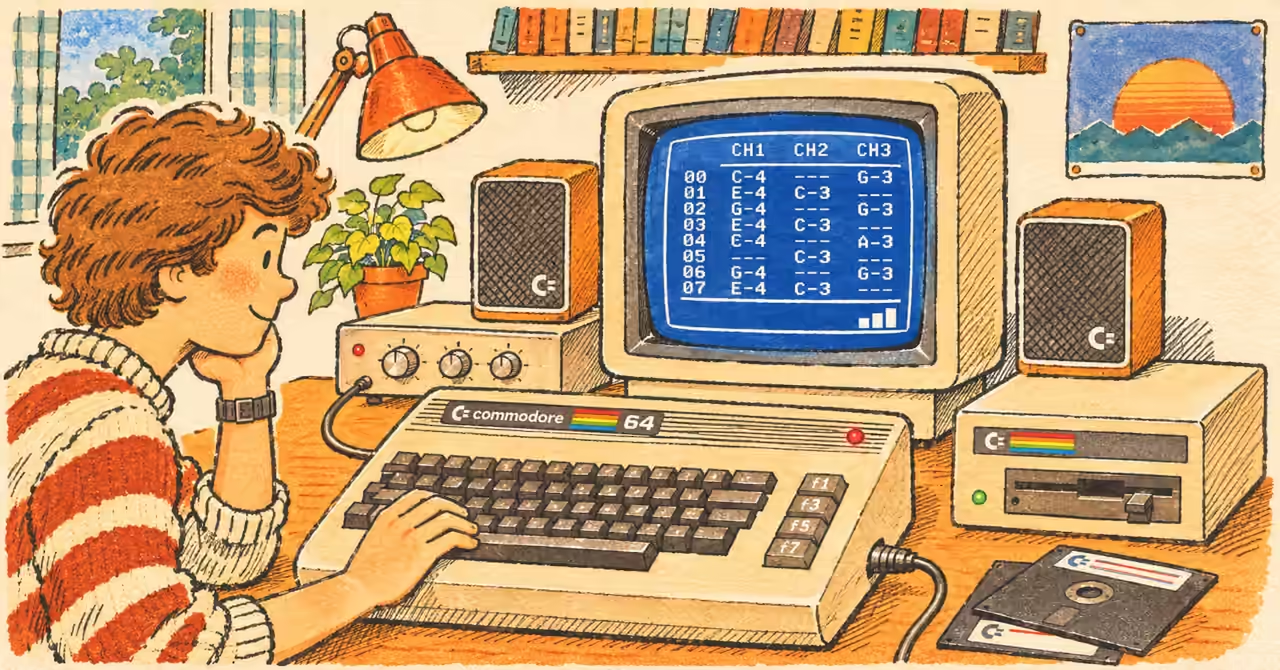
The BASIC example was tested and confirmed to run in the VICE Commodore 64 emulator. Operation on original hardware and compatibility between specific MIDI interfaces, storage devices and music software have not been independently tested for this article. Check the relevant documentation before connecting equipment. The hero image is an AI-generated illustration inspired by 1980s computer books, rather than a historical photograph or an exact representation of particular hardware or software. AI tools assisted with research and editorial development.