Commodore 1541 Disk Drive: The Essential C64 Companion
◆ Revised

Introduction
No Commodore 64 experience feels quite complete without a Commodore 1541 floppy disk drive sitting beside it. For many C64 owners, the 1541 was the machine that finally made cassette storage feel like the past. Instead of finding the right place on a tape and waiting for a program to load, you could insert a 5¼-inch floppy disk, type a LOAD command and get on with using the computer.
The 1541 was big, slow, expensive and capable of making noises that suggested something terrible was happening inside. Yet it became one of the defining pieces of Commodore 64 hardware. Its peculiar combination of capability and eccentricity made it an essential companion to the C64—and many of its supposed faults are precisely the things its owners remember.
A computer inside the disk drive
The Commodore 1541 is a single-sided 5¼-inch floppy disk drive, with a standard formatted disk holding roughly 170 KB. There was considerably more going on inside that familiar beige case than its appearance suggested. The drive had its own MOS 6502-family processor and ran Commodore's CBM DOS. In effect, the 1541 was a small computer of its own, dedicated to managing disks and communicating with the C64.
Unfortunately, all that intelligence did not make the 1541 particularly fast. Commodore's serial connection became notorious for slow loading, while the clicks, whirrs and occasional alarming knocks of the mechanism became familiar sounds in a C64 household. Even so, disk storage was a tremendous improvement over cassette for everyday use. Programs were easier to find, files could be saved and retrieved directly, and moving between software became far more convenient.
Then there was the price. A Commodore disk drive was a substantial investment and could, at times, cost almost as much as the computer sitting beside it. Commodore produced several related and successor drives, while third-party manufacturers offered alternatives of their own. Most handled ordinary Commodore disks perfectly well, but software using unusual disk formats, custom loaders or copy protection could expose compatibility differences.
Quirks of the Commodore 1541 floppy disk drive
Anyone who used a Commodore 1541 for long enough probably remembers one particularly alarming characteristic: the sound of the disk drive apparently trying to knock itself to pieces. A program would begin loading normally and then, without warning, the drive mechanism would start hammering away with a loud and distinctly unhealthy clack-clack-clack. For an expensive peripheral sitting beside your Commodore 64, it was not an especially reassuring sound.
Some commercial software deliberately made use of unusual disk layouts and errors as a form of copy protection. During loading, the software could look for these deliberately created characteristics to determine whether the disk appeared to be an original. A conventionally copied disk might not reproduce them correctly and would therefore fail the protection check.
The notorious knocking was associated with the 1541 attempting to reposition its read/write head when it could not reliably determine its position. The mechanism could drive the head toward the end of its travel, producing the characteristic repeated knocking against the mechanical stop. Although this behaviour did not necessarily mean that the drive was destroying itself, repeated head banging was hardly an elegant solution and could contribute to the 1541 falling out of alignment.
These peculiarities are part of what makes the 1541 so memorable today. It was slow, noisy and occasionally behaved in ways that would make a modern computer user assume something had gone terribly wrong. Yet software developers learned to work around—and sometimes deliberately exploit—the hardware's characteristics. For better or worse, the clicks, whirrs and alarming knocks of the 1541 became part of the soundtrack of using a Commodore 64.
Commodore 1541 alternatives
The Commodore 1541 was far from the only disk drive available to Commodore users. Commodore itself produced several successors and related models, while third-party manufacturers offered compatible drives of their own. These alternatives could provide smaller cases, greater capacity or additional capabilities, although compatibility with software written specifically around the behaviour of the 1541 was not always guaranteed.
- Commodore 1541C
- The Commodore 1541C was a revised version of the familiar 1541 and accompanied later C64 systems. It retained the basic 1541 format and functionality while incorporating internal changes.
- Commodore 1570 and 1571
- The Commodore 1570 and 1571 arrived alongside the Commodore 128 generation. The 1570 was a single-sided drive, while the more capable 1571 used both sides of a 5¼-inch floppy disk and offered substantially greater storage capacity.
- Commodore 1581
- The Commodore 1581 used 3½-inch floppy disks and provided more than 700 KB of usable storage. Its capacity made it particularly useful as an additional drive for programs, personal files and software collections. See the Commodore 1581 floppy disk drive article for more information.
- Evesham Micros Exelerator / Oceanic OC-1884N
- This compact third-party 5¼-inch drive provided Commodore-compatible storage in a considerably smaller enclosure than the original 1541.
- Datel Electronics Blue Chip drive
- Another third-party 5¼-inch alternative, demonstrating the wider ecosystem of compatible disk hardware that developed around the Commodore 64.
On the bookshelf

Commodore 1541
User's Guide
(read online)
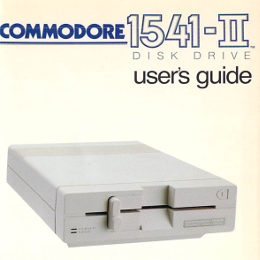
Commodore 1541-II
User's Guide
(read online)
Commodore 1540/1541
Service Manual
(read online)

1541 user's guide
Dr. Gerald Neufeld
(read online)
Commodore 1541
Maintenance Manual
(read online)
Sams Computerfacts
VIC 1541 Service Data
(read online)

SAMS Computerfacts
1541-II Service Data
(read online)
SAMS Commodore 1541
Repair Guide
(read online)
Notice: Resources are hosted by the Internet Archive, which is independent of this website.
Keeping your Commodore 1541 running
Original Commodore disk drives are now decades old, but replacement parts, cables and modern storage accessories can help keep a C64 setup practical. The following resources cover both restoration needs and newer alternatives for owners who still use original hardware.


What using a Commodore 1541 felt like
Vanessa was in her twenties when she first encountered a Commodore 64. She had seen the advertising, of course. Computers were suddenly appearing everywhere, promising games, music, education and some vaguely defined electronic future. Commodore's television advertising was particularly hard to miss: are you keeping up with the Commodore? Eventually Vanessa decided that she probably ought to find out.
Fortunately, her C64 had a Commodore 1541 sitting beside it. No hunting through music cassettes for a tape that nobody minded sacrificing to the computer. No trying to remember whether the program started at counter position 126 or 247. She could take a 5¼-inch floppy disk from its sleeve, slide it into the drive and close the latch.
Then came the incantation:
LOAD "*",8,1
It looked wonderfully like something a computer person ought to type. The 8 addressed the first disk drive and the final ,1 told the C64 to load the program at the memory location stored with it. Vanessa did not need to contemplate any of that. Type it correctly, press RETURN and the machines knew what to do.
SEARCHING FOR *
The red light came on.
Whirrrrr.
Click.
Wait.
The 1541 thought about matters for a while. Another whirr came from the disk. Then a clunk. Perhaps another clunk. The first few times it happened, the noises suggested that somebody ought to intervene. Experienced Commodore owners knew better. Unless the drive started performing one of its more alarming bouts of head knocking, you left it alone.
LOADING
More whirring. More waiting. The blank blue C64 screen offered no progress bar, spinning icon or reassuring estimate of the time remaining. Instead you listened. The little mechanical sounds became clues. The drive was still doing something. Something was being found. Something was coming.
And then the screen changed.
Music started. Bless the SID chip.
An opening screen appeared and Vortex Crystals emerged from the disk. A moment earlier it had been magnetic patterns hidden inside a square plastic sleeve; now there were colours, movement and sound pouring out of the television. Whatever complaints might reasonably be made about the 1541 suddenly seemed rather less important.
Another disk would follow. Then another game. Vanessa particularly loved the platform games. Soon the floppy disks accumulated their own little geography around the computer: disks in sleeves, disks waiting to be tried, favourites kept close at hand and the occasional mysterious disk whose handwritten label no longer meant quite what anyone remembered.
The 1541 was always there beside the C64. Big, beige and faintly ridiculous. It clicked, whirred and sometimes made noises expensive electronics really should not make. Its red light illuminated the desk while everyone waited for whatever world was hiding on the next disk.
Close the latch.
LOAD "*",8,1
Press RETURN.
Whirrrrr.
Featured Product
Analogue Computer Series 001 T-Shirt
Bring a little 8-bit computing history into the physical world with a design made for people who still appreciate the character, quirks and ingenuity of classic machines. It is an easy way to wear your retrocomputing enthusiasm—and help support the continuing preservation, research and publishing work behind PhilReichert.org.
Disclosure: this is a commercial product link to an external Zazzle store associated with philreichert.org. Purchases are handled by Zazzle.

Writer's Notes
Reader Guide
The following material expands on the terminology, historical context, technical concepts, and related reading connected to this article.
Glossary
Some of the terms used in this article have specialised, historical or technical meanings. This glossary provides additional context for selected terms and ideas.
- MOS 6502‑family processor
- An 8‑bit microprocessor design from MOS Technology widely used in 1970s–80s home computers; inside the 1541 the same family of CPU acted as a tiny, dedicated computer that ran the drive's firmware and controlled the disk mechanism, so the disk unit did much of its own processing rather than relying entirely on the host Commodore 64.
- CBM DOS
- Commodore's disk operating system that ran on the 1541's onboard processor, implementing the filesystem, directory listing and low‑level read/write routines; because the DOS lived in the drive itself it shaped how data was requested and transferred and contributed to the drive's idiosyncrasies and performance characteristics.
- IEC serial connection
- The serial peripheral bus Commodore used to link disk drives, printers and other devices (often called the IEC bus); it used a simple, device‑addressed serial protocol (device 8 being the first disk drive) and relied on software handshaking from the devices' own processors, a design that made it inexpensive and flexible but relatively slow compared with later hardware‑driven interfaces.
- Copy‑protection using unusual disk layouts and errors
- A suite of techniques used by software publishers to prevent casual copying, including deliberate non‑standard track/sector formats, intentionally corrupted or unreadable sectors, weak bits and timing tricks; commercial loaders checked for these quirks during startup so a conventionally copied disk—written with standard formatting tools—would fail the authenticity check.
- LOAD "*",8,1
- A Commodore BASIC command used to load a program from disk: '*' is a wildcard meaning 'first suitable file', 8 selects the first disk drive, and the trailing ',1' tells the computer to load the program into the memory address stored with the file (the usual way to load executable .PRG files); the exact sequence became the everyday ritual for launching software from a 1541.
Frequently asked questions
Curious about something you’ve just read? These frequently asked questions explore some of the key ideas, details and questions surrounding the topic.
What is the Commodore 1541 floppy disk drive?
The Commodore 1541 is a single-sided 5¼-inch floppy disk drive commonly used with the Commodore 64 that stores roughly 170 KB on a standard formatted disk; it contains its own MOS 6502-family processor and runs Commodore's CBM DOS to manage disk storage and communicate with the C64.
Why did the 1541 sometimes make loud clacking or knocking noises?
The knocking was associated with the drive attempting to reposition its read/write head when it could not reliably determine its position, causing the head to strike the mechanical stop; this repeated banging could contribute to alignment problems and was one of several peculiar mechanical behaviours users heard.
What alternatives to the 1541 were available and how did they differ?
Commodore offered revised and successor drives such as the 1541C, the single-sided 1570 and the double-sided 1571, and the 3½-inch 1581 which provided more than 700 KB of usable storage, while third-party units like the Evesham Micros Exelerator and the Datel Blue Chip offered different form factors; these alternatives could provide greater capacity or smaller cases but did not always guarantee compatibility with software written around 1541 behaviour.
How did users load programs from a 1541 and what did the experience feel like?
Users typically typed LOAD "*",8,1 where 8 addressed the first disk drive and ,1 told the C64 to load the program at its stored memory location; the process involved watching a red drive light, listening to whirrs, clicks and waits instead of seeing progress bars, and often ended with the program appearing and music playing from the C64's SID chip.
Related articles…


Disclosure
This article is provided for historical and general informational purposes. Specifications, compatibility and operating behaviour may vary between Commodore 1541 models, revisions, software and third-party hardware. Links to external sites do not constitute endorsement.