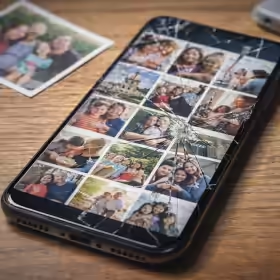
Digital Dark Ages: The Fall of Shoebox
Updated 6 November 2026

What Happened to Shoebox?
Shoebox arrived in the early 2010s with an appealing proposition: make photo backup simple and largely invisible. It could collect photographs from computers and mobile devices and keep them available through an online library. For ordinary users, that solved a real problem. Digital photographs were multiplying quickly, while the task of copying, naming and organising them was becoming increasingly difficult.
Then the business disappeared. On 23 April 2019, Shoebox announced that it was shutting down, with the service scheduled to close on 22 May. Users were urged to export their photographs and videos. An archived copy of the Shoebox site preserved by the Internet Archive still records the shutdown notice and export instructions: Shoebox is shutting down.
That distinction matters. Shoebox did not simply erase everyone's photographs overnight. It provided notice and an export path. Yet roughly a month is not a generous archival horizon if your collection contains years of photographs, if you are travelling, if your broadband is slow, or if the online service contains useful albums, captions or other metadata that may not survive the export intact. The incident is a compact example of the Digital Dark Age: the files may still exist, but the system that made them useful can disappear.
Shoebox post on October 30, 2012 ➡
"We just launched! Unlimited free photo backup for Mac, PC, iPhone, and Android."
Shoebox post on April 23, 2019 ➡
"Shoebox is shutting down on May 22nd. You need to export your collection."
The posts above are retained here as historical quotations. X, formerly Twitter, and the original authors have not endorsed this article. The original posts are no longer readily available on X, which is itself a small example of why preserving context matters.
Cloud Storage Is Not the Same Thing as an Archive
Cloud storage is useful. It provides off-site capacity, automatic synchronisation and access from several devices. The mistake is not using the cloud; the mistake is assuming that convenience automatically creates preservation.
A personal archive should survive the failure of any one company, device or account. A synchronised cloud library may still have several single points of failure: the service can close, an account can be locked, a subscription can lapse, or an accidental deletion can be synchronised across devices. Even when the original files are recoverable, the surrounding structure can be more fragile. Album names, descriptions, favourites, face tags, edits and location information may be stored in a platform-specific database rather than in the photograph itself.
This is why the Shoebox story remains useful years later. It is not really a story about one failed photo service. It is a story about ownership and portability. If you cannot make an independent copy of your files, verify that copy and understand what metadata accompanies it, then you have convenient access rather than a durable archive.
A Practical Personal Digital Archiving Strategy
Personal digital archiving does not need to become a second career. The aim is simply to remove obvious single points of failure and make recovery possible without depending on one service. A useful starting point is the familiar 3-2-1 backup principle: keep at least three copies of important data, on two different types of storage, with one copy kept off-site.
- Keep the original files. Export photographs and videos at their highest available quality rather than relying only on reduced or edited copies.
- Keep an independent local copy. A computer, NAS or external drive gives you a copy that does not require an online account to access.
- Keep an off-site copy. A reputable cloud service can be an excellent part of the strategy when it is one copy rather than the only copy.
- Preserve useful metadata. Dates, filenames, captions, album structure and location information may be as important as the image itself. Where a service offers metadata exports or sidecar files, keep them with the archive.
- Test recovery. A backup that has never been opened or restored is only an assumption. Periodically sample files from each copy and make sure they are readable.
This approach also makes future migration easier. Hard drives, cloud providers and photo applications will change. If your collection exists as ordinary files with portable metadata and multiple verified copies, moving to the next system becomes an administrative task rather than an emergency.
AI Can Organise an Archive, but It Does Not Preserve One
AI has become genuinely useful for large personal collections. Image-recognition tools can identify subjects, suggest tags, group similar photographs, find duplicates and make natural-language search possible. For a collection containing tens of thousands of files, that can turn an inert backup into something that is enjoyable to explore.
But AI introduces a new version of the same Shoebox problem if the intelligence lives only inside a proprietary service. A face-recognition index, automatic caption or semantic search result is useful metadata, but it may disappear when the application changes. The safest approach is to let AI enrich the archive while keeping the underlying files and important descriptive information in forms that can be exported and reused elsewhere.
In other words, AI is an excellent discovery layer. It is not the preservation layer. Preservation still depends on copies, open or well-documented formats, portable metadata and periodic checking.
The Larger Digital Dark Age
Shoebox was a personal-scale warning, but the same pattern affects websites, online communities, software libraries and cultural archives. We often mistake availability for permanence because digital material can be copied perfectly. Perfect copying, however, is useful only while someone continues to make the copies, maintain the indexes and keep the formats readable.
This site has explored that wider problem in What is the Digital Dark Age and why are we living in it?, while Why Your Digital Photos May Not Survive brings the issue back to the smartphone photo collection most of us carry every day. The earlier Personal Digital Archiving Conference article also shows that archivists were warning about these problems long before cloud photo libraries became ordinary household infrastructure.
Conclusion
The lesson from Shoebox is not that cloud storage is unsafe. The lesson is that no hosted service should be mistaken for permanence. Cloud services are excellent tools for access and redundancy, but a personal archive becomes resilient only when you can recover it independently of the company that currently stores it.
Preserve the originals. Keep more than one copy. Export the metadata that gives the files meaning. Test your backups occasionally. Then use cloud services and AI for what they do best: making a well-preserved collection easier to reach, search and enjoy.
Frequently Asked Questions
When did Shoebox photo storage shut down?
Shoebox announced its shutdown on 23 April 2019 and told users that the service would close on 22 May 2019. Users were instructed to export their photographs and videos.
Is cloud storage a backup?
It can be one part of a backup strategy, but it should not be the only copy of important files. A resilient archive keeps independent copies so that a service closure, account problem or synchronised deletion does not remove every accessible copy.
What should I preserve besides the photo files?
Keep useful metadata such as dates, filenames, captions, album information and location data where it matters. If a photo service can export sidecar files or other metadata, store them with the corresponding media.